

Highlight:
करवाचौथ पर खींची तस्वीरों को AI से सही करने के लिए 3 प्रॉम्प्ट।
Gemini की मदद से आसानी से तस्वीरों को सही कर सकते है।
प्रॉम्प्ट के इस्तेमा के बाद अगर तस्वीर में कुछ बदले तो उसे भी ठीक कर सकते है।
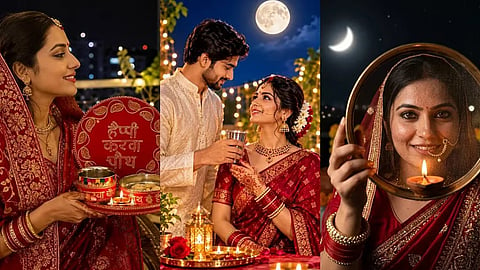
Gemini AI Photo Editing: करवाचौथ पर चांद का दीदार, हाथों में पूजा की थाली, छलनी से जीवनसाथी को निहारने का पल और चेहरे पर त्योहार की रौनक। इन खूबसूरत लम्हों को तस्वीरों में कैद करना हर किसी को पसंद होता है। लेकिन कई बार छत या बालकनी में कम रोशनी के कारण फोटो डार्क, धुंधली या दानेदार आ जाती है। ऐसे में सोशल मीडिया पर तस्वीर शेयर करने से पहले उसे बेहतर बनाने का तरीका आपके पास भी होना चाहिए।
बता दें कि अगर आपके साथ भी ऐसा हुआ है तो AI इमेज एडिटिंग टूल्स मदद कर सकते हैं। इसमें Google Gemini जैसे टूल में फोटो अपलोड करके टेक्स्ट प्रॉम्प्ट के जरिए रोशनी, रंग और तस्वीर की स्पष्टता सुधारने की कोशिश की जा सकती है। लेकिन नतीजा फोटो की मूल क्वालिटी और धुंधलेपन पर भी निर्भर करता है।
सबसे पहले अपने फोन में Gemini ऐप खोलें।
इसके बाद फोटो अपलोड करने का विकल्प चुनकर गैलरी से करवाचौथ की तस्वीर सेलेक्ट करें।
अब नीचे दिए गए प्रॉम्प्ट में से अपनी फोटो के हिसाब से कोई एक कॉपी करके पेस्ट करें और निर्देश सबमिट कर दें।
तस्वीर देखने के बाद जरूरत हो तो AI से दोबारा बदलाव करने के लिए भी कह सकते हैं।
अगर आपकी फोटो में पूजा की थाली, छलनी, बिंदी और पारंपरिक गहने दिखाई दे रहे हैं तो यह प्रॉम्प्ट आजमाएं:
Prompt:
Restore and enhance this low-light Karwa Chauth portrait photo. Reduce digital noise, grain, and slight motion blur while preserving the person's natural facial features, skin texture, and bindi. Gently illuminate the face with warm, soft golden light matching the diya. Keep the red traditional attire, jewelry details, and decorated sieve sharp and vivid, with a cinematic nighttime bokeh background.
अगर आपने चांद देखने के बाद जीवनसाथी के साथ तस्वीर खिंचवाई है और चेहरे अंधेरे में छिप गए हैं तो इस प्रॉम्प्ट का इस्तेमाल करें:
Prompt:
Enhance this dark outdoor nighttime couple photograph taken on a terrace. Brighten the faces naturally while preserving realistic skin tones and contrast. Reduce image noise, correct the yellow light cast, and improve the fabric details of traditional festive clothing. Add subtle ambient moonlight in the background without changing the couple's identity, facial features, or expressions.
दीया या पूजा की थाली हाथ में लेकर खींची गई तस्वीर को बेहतर बनाने के लिए यह प्रॉम्प्ट इस्तेमाल किया जा सकता है:
Prompt:
Improve this grainy, underexposed nighttime photograph of a woman holding a puja thali. Enhance clarity around the eyes and facial expression without making the skin look plastic or overly smooth. Bring out the red tones of the saree, mehendi patterns on the hands, and warm reflection of the diya flame. Preserve natural shadows, realistic skin texture, and the original composition.
इसमें ध्यान रखें कि AI कभी-कभी चेहरे, गहनों या कपड़ों की बारीकियों को बदल सकता है। इसके लिए फोटो शेयर करने से पहले एडिट की गई तस्वीर को मूल फोटो से मिलाकर जरूर देखें